Scrivener Alternative: Write Smarter with AI-Powered pensiv
Tired of Scrivener's complexity? Meet pensiv, an AI-powered writing tool. Compare Scrivener and pensiv, and experience a simpler and more powerful writing workflow.
"I'm using Scrivener, but it's too complex and the spell check isn't great. There's no AI functionality either. Is there a better alternative?"
Scrivener is a staple in the writing community. It handles massive manuscripts and intricate research with ease. But the software carries a notoriously steep learning curve, and its native spell check leaves much to be desired.
If you are searching for a modern alternative that bridges these gaps while introducing AI writing features, it is worth looking at pensiv. Built as a direct response to legacy software fatigue, pensiv takes the core concepts of Scrivener and strips away the clutter. The result is a lighter, structurally intuitive workspace that doesn't sacrifice scalability.
Scrivener's Strengths and Limitations: Technical Analysis
Scrivener's Strengths
The Scrivener official website describes the software as a hybrid of a typewriter, ring-binder, and scrapbook. Here is where it excels.
1. Corkboard
- Visual management: Arrange scenes like physical index cards.
- Drag and drop: Change your narrative order instantly.
- Automatic syncing: Moving a card automatically rearranges the actual manuscript text.
- Project scale: Highly effective for tracking massive, multi-part projects.
2. Outliner
- Hierarchical structure: Manage your document in a clear tree format.
- Granular organization: Sort chapters, sections, and individual scenes.
- Academic focus: Well suited for research papers and complex scripts.
- Metadata tracking: Color code your progress and monitor document status.
3. Snapshot
- Document history: Save specific versions of your work.
- Version comparison: View differences between drafts.
- Reversion capability: Quickly restore a previous iteration.
4. Integrated Research Management
- Asset integration: Store PDFs, images, web pages, and audio directly in the project file.
- Centralized storage: Keep all reference materials in one offline location.
- Quick Reference: View your manuscript and a research document side by side.
5. Scrivenings Mode
- Continuous scrolling: Edit multiple separate sections as a single, unified document.
- Fragmented drafting: Write scene by scene, then merge everything for the final polish.
6. Compile
- Format export: Send completed manuscripts to Word, PDF, or Final Draft.
- Customization: Adjust formatting to meet strict publisher submission guidelines.
Scrivener's Limitations
1. Lack of AI Features
- No assistance: The software offers zero AI writing support.
- Manual tracking: Checking for plot holes or character inconsistencies relies entirely on human memory.
2. Steep Learning Curve
- Feature bloat: The sheer volume of tools overwhelms new users.
- Required studying: Writers often need to purchase separate guidebooks or watch lengthy tutorials just to understand the basics.
- Time investment: Setting up a project takes significant effort before writing even begins.
3. Limited Language Support
- English-centric: Spell checking for non-English languages is notoriously weak.
- Third-party reliance: International writers often have to export their work to other programs just to proofread.
- Context blind: No smart features to understand regional nuance.
4. Document-Centric Structure
- Rigid organization: Everything must exist within a document framework.
- Cluttered metadata: Character sheets and setting details are just more text files mixed into the binder.
- Scaling issues: As a novel grows, keeping track of separate lore documents becomes a chore.
pensiv: Maintaining Scrivener's Strengths While Overcoming Limitations
pensiv was engineered to keep the structural benefits of traditional writing software while fixing the usability issues that slow authors down.
1. AI Writing Assistance: Core Feature Missing in Scrivener
AI Ask - Project-Wide Search
- Comprehensive scanning: Answers questions by reading every file in your current project.
- Conflict prevention: Designed specifically to catch continuity errors and assist with worldbuilding memory.
- Contextual answers: Ask a question like "Why did the protagonist make this choice in Chapter 3?" and receive an annotated response based on your actual text.
- Automated checks: Request a scan for conflicting lore, and the system flags discrepancies automatically.
AI Plan - Planning Before Generation
- Strategic outlining: Organizes your upcoming narrative beats before any prose is written.
- Directional options: Instead of generating a finished chapter, the AI suggests possible plot directions in a structured plan.
- Author control: Keeps the writer in the driver's seat rather than passively accepting generated text.
AI Agent - Integrated Feature
- Combined functionality: Merges the capabilities of the Ask and Plan tools.
- Drafting support: Creates a working plot structure by analyzing existing manuscripts and plotboards. Nothing is finalized until the author approves it.
AI Review - Actually Helpful Feedback
- Targeted critiques: Provides structural feedback focused only on the elements you select.
- Actionable advice: Prioritizes practical revision notes over gamified scoring systems.
2. Ease of Use: Simpler Than Scrivener But With Scalable Structure
Scrivener's Problem: The abundance of menus and hidden settings creates a frustrating barrier to entry. New authors spend hours watching tutorials instead of drafting their first chapter.
pensiv's Solution: The interface is clean and intuitive. Workspaces are clearly separated by file type, reducing visual clutter. You can find exactly what you need without digging through nested menus. It remains simpler to operate than legacy software, yet the underlying architecture scales easily for massive series.
3. Language Support: Optimized for Writers
Scrivener's Problem: If you write in a language other than English, the native dictionary struggles. Users frequently resort to pasting text into external processors for accurate proofreading.
pensiv's Solution: The platform is optimized for international writing. It includes advanced spell checking, custom dictionary support, and genre-specific terminology recognition. The AI features are trained to understand narrative context across multiple languages.
4. Document Management: Maintaining Scrivener's Strengths While Improving
Scrivener's Strengths: Legacy users love the corkboard for arranging scenes, the outliner for structural hierarchy, and the snapshot tool for saving historical drafts.
pensiv's Improvements: pensiv takes these concepts and modernizes them.
- Folder Structure: View your work in formats similar to a traditional corkboard, including Grid, Timeline, Freeform, and List views.
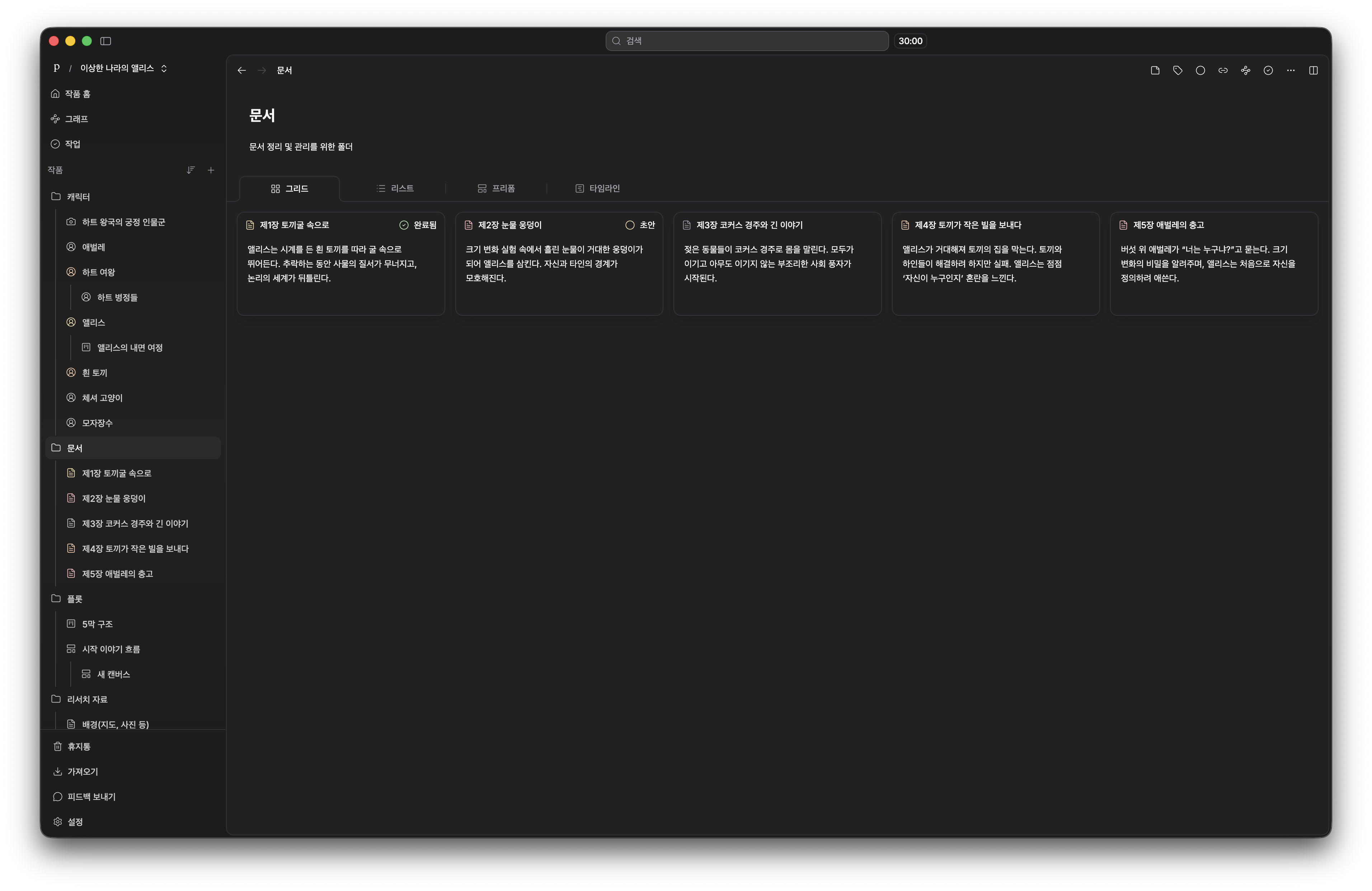
Folder Structure - Grid View
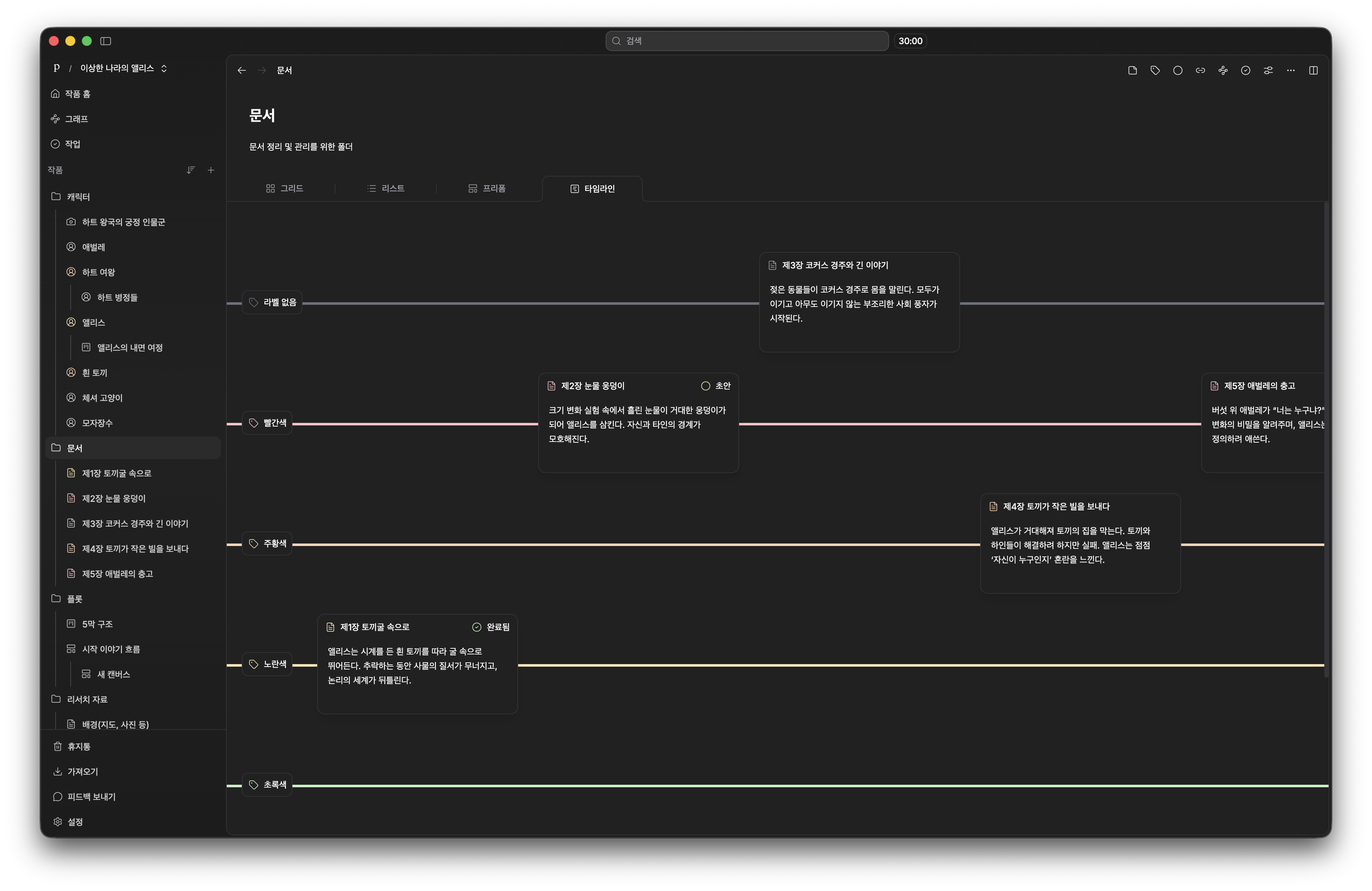
Folder Structure - Timeline View
These varied views give you total control over how you visualize the narrative pacing.
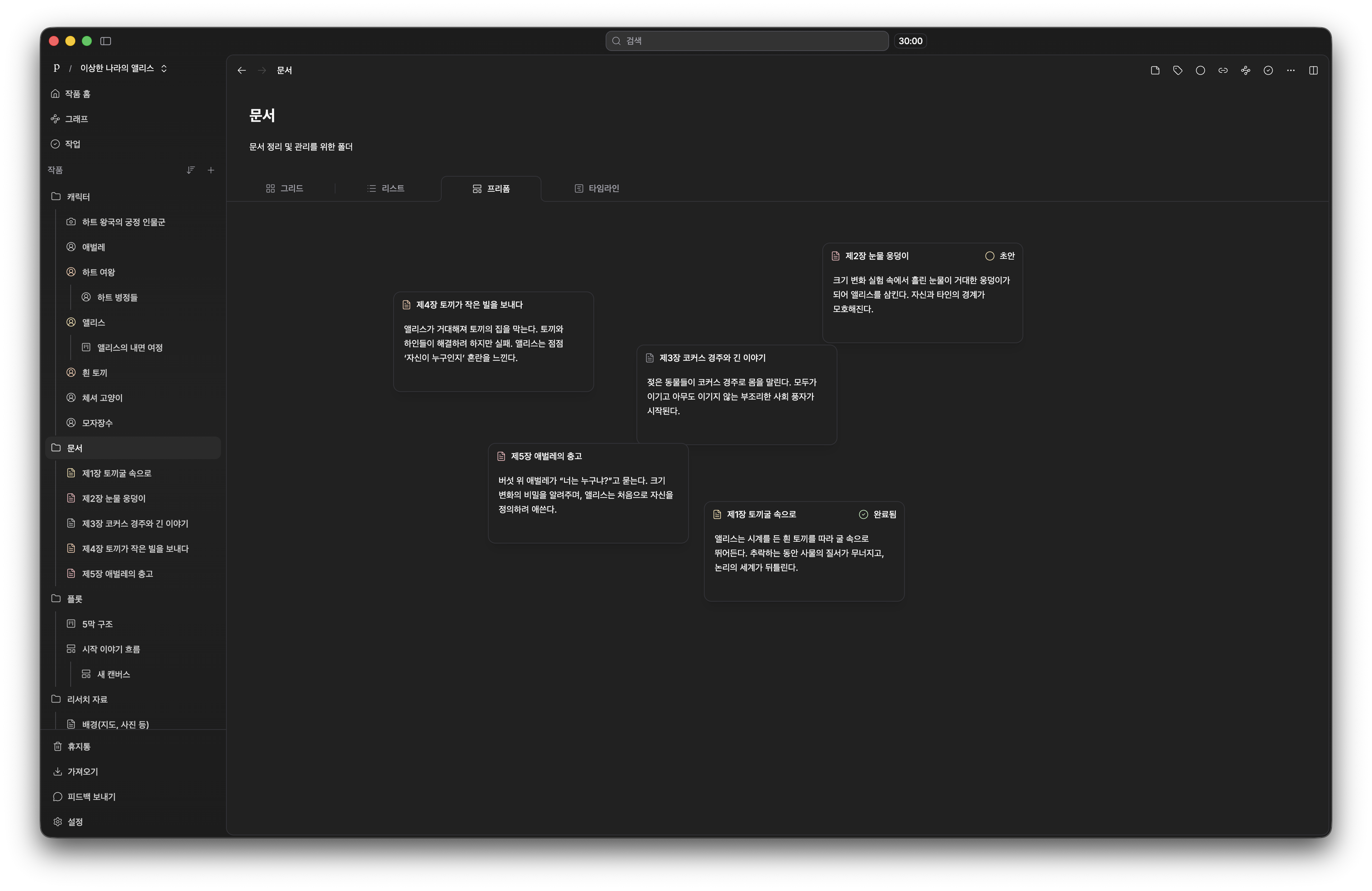
Folder Structure - Freeform View
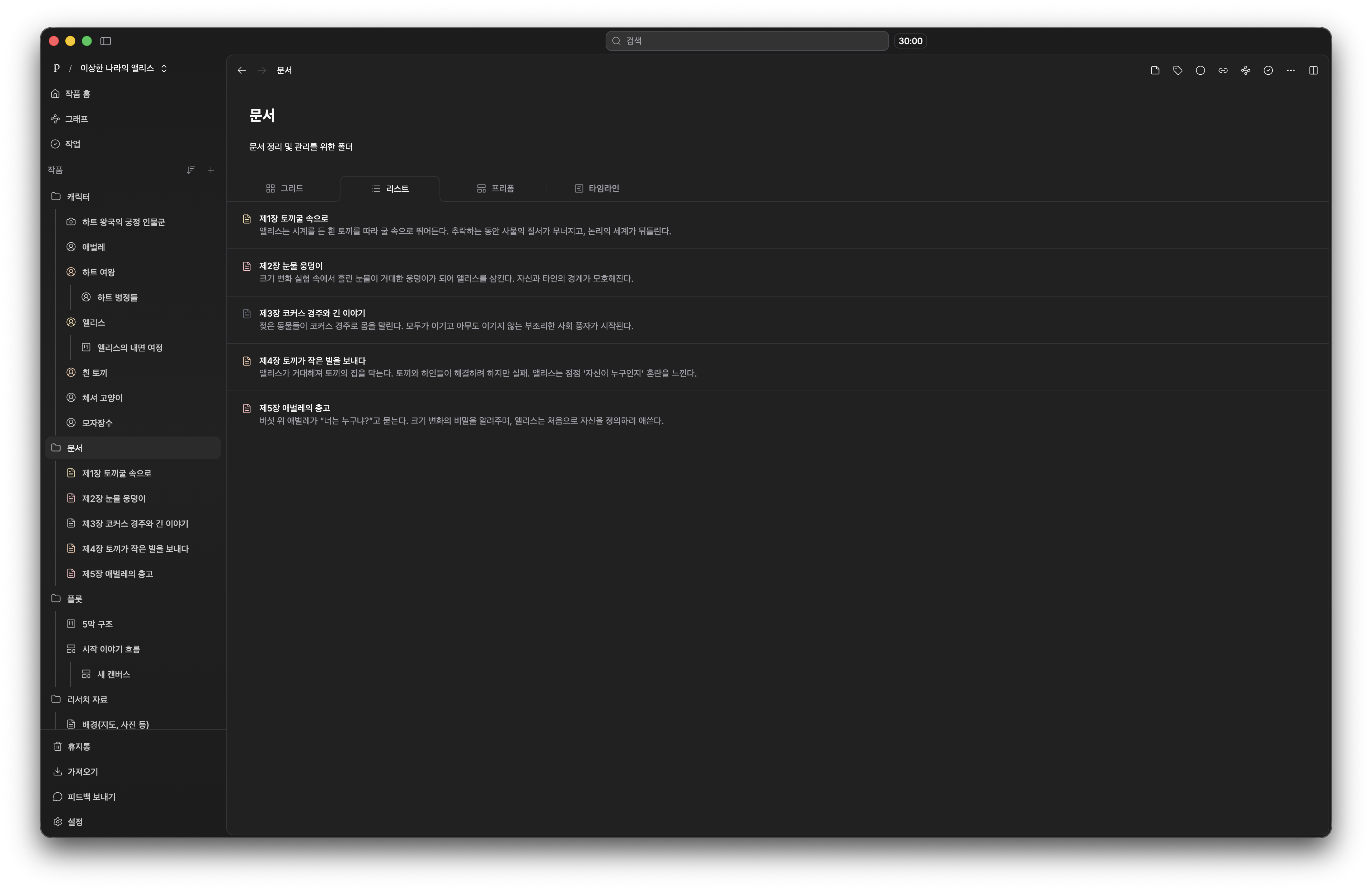
Folder Structure - List View
- Plotboard: A fully customizable workspace built in a Kanban board format, a feature missing from older software.
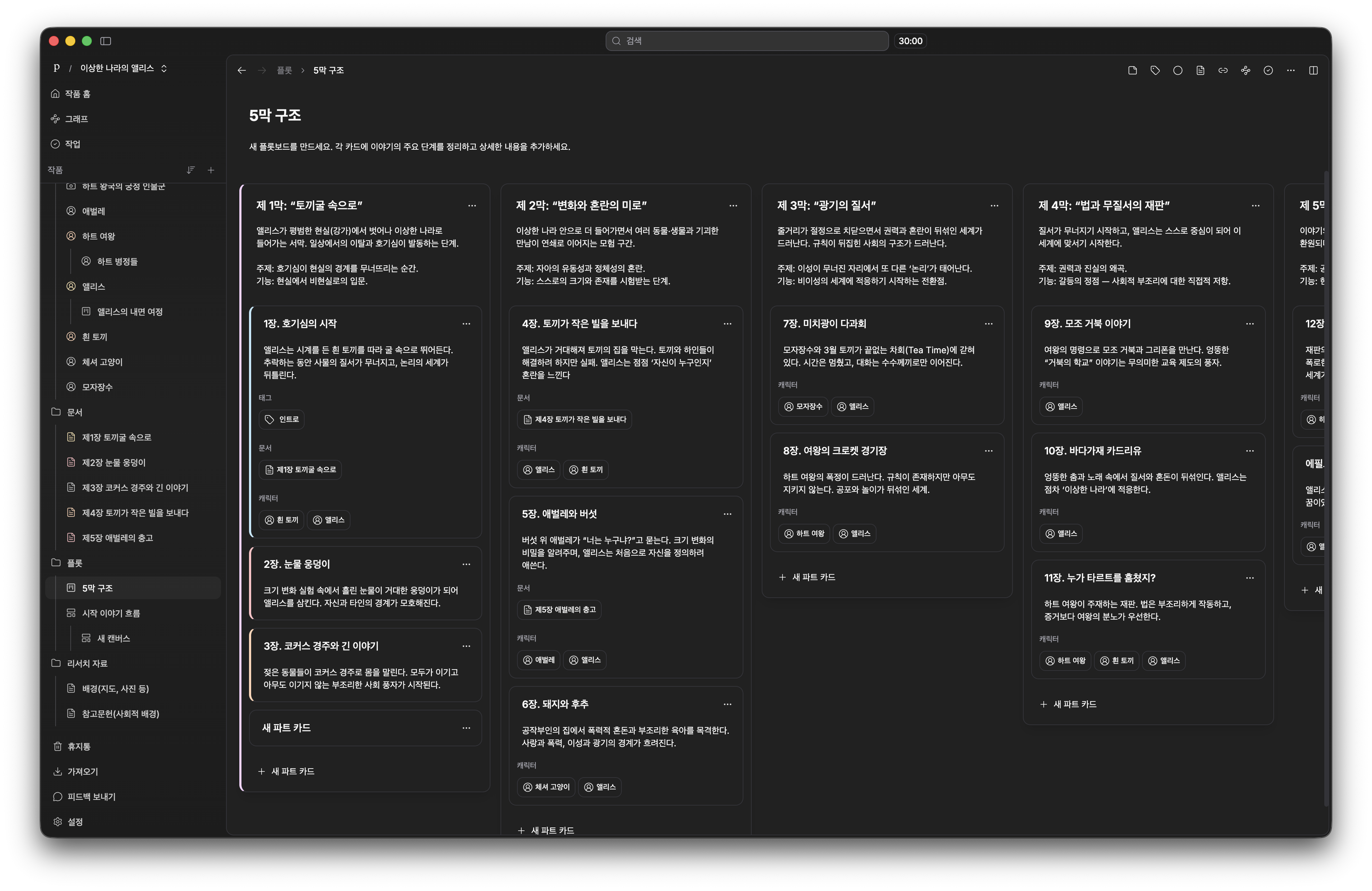
Plotboard
- Canvas: A free-placement spatial environment similar to Obsidian Canvas, allowing visual brainstorming.

Canvas
- Graph View: Visualize the interconnected relationships of all your files on a single screen.
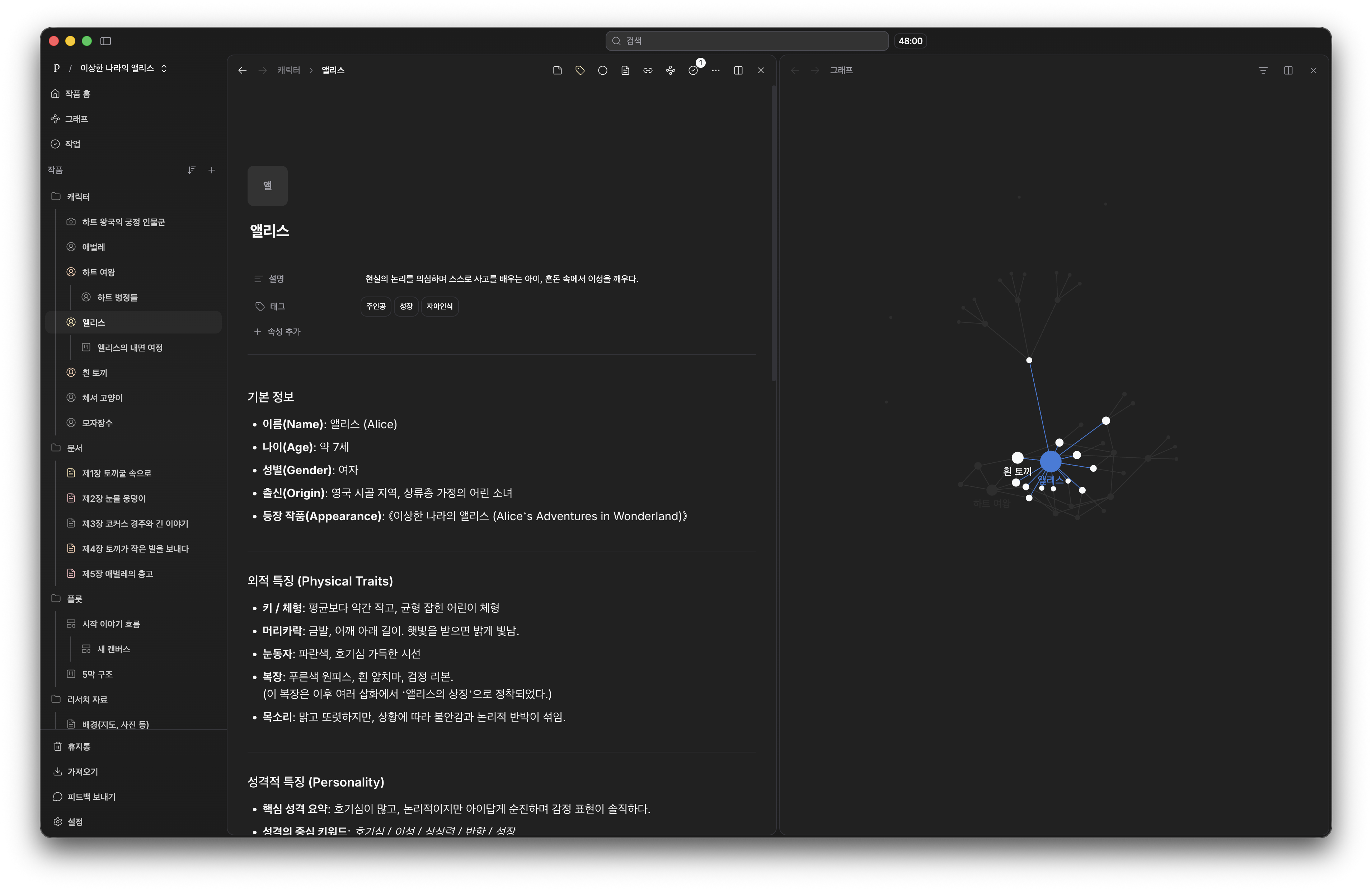
Graph View
- History snapshots: The system automatically saves a version of your work every 10 minutes, making it easy to restore deleted paragraphs.
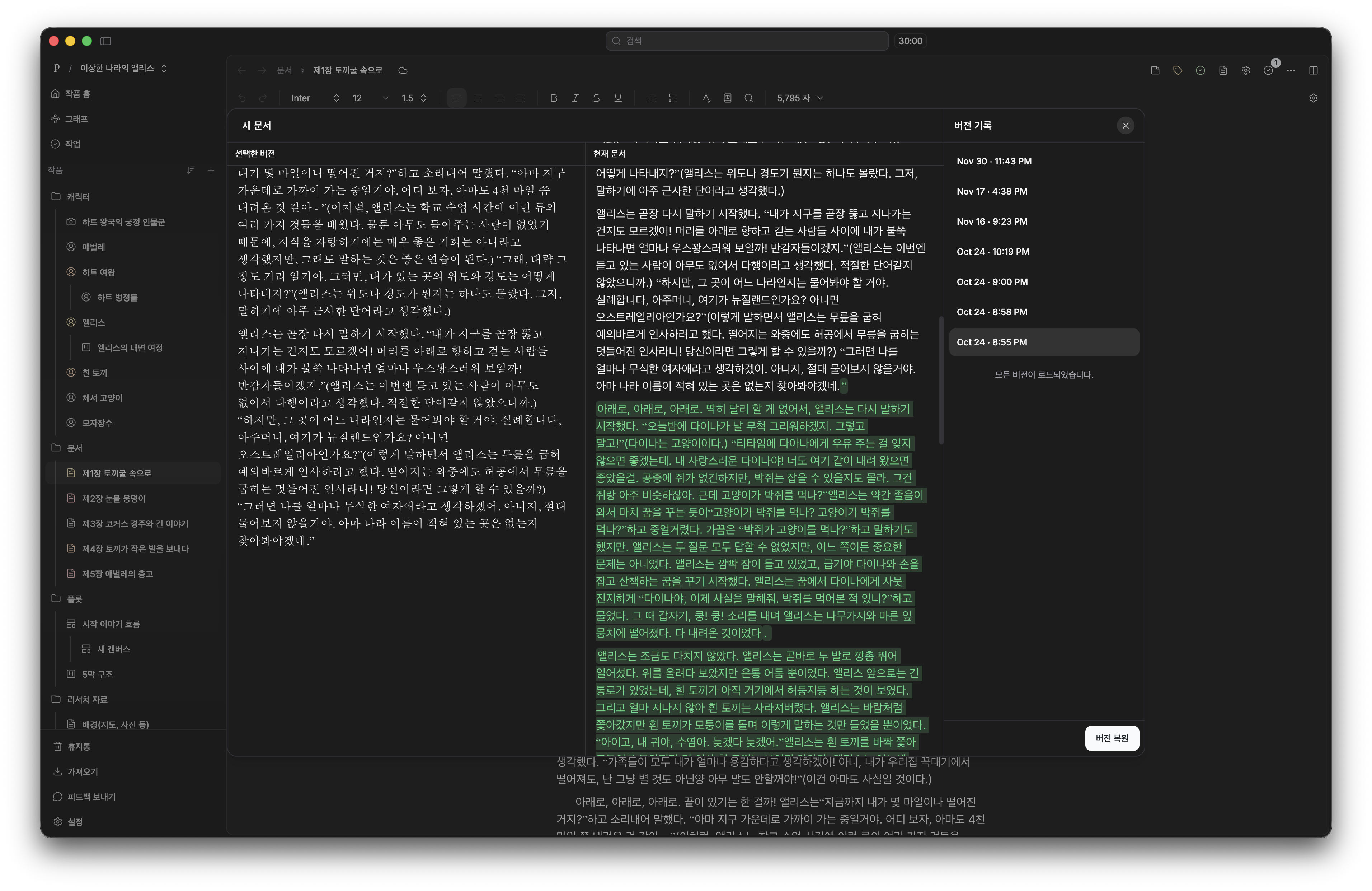
History Snapshot
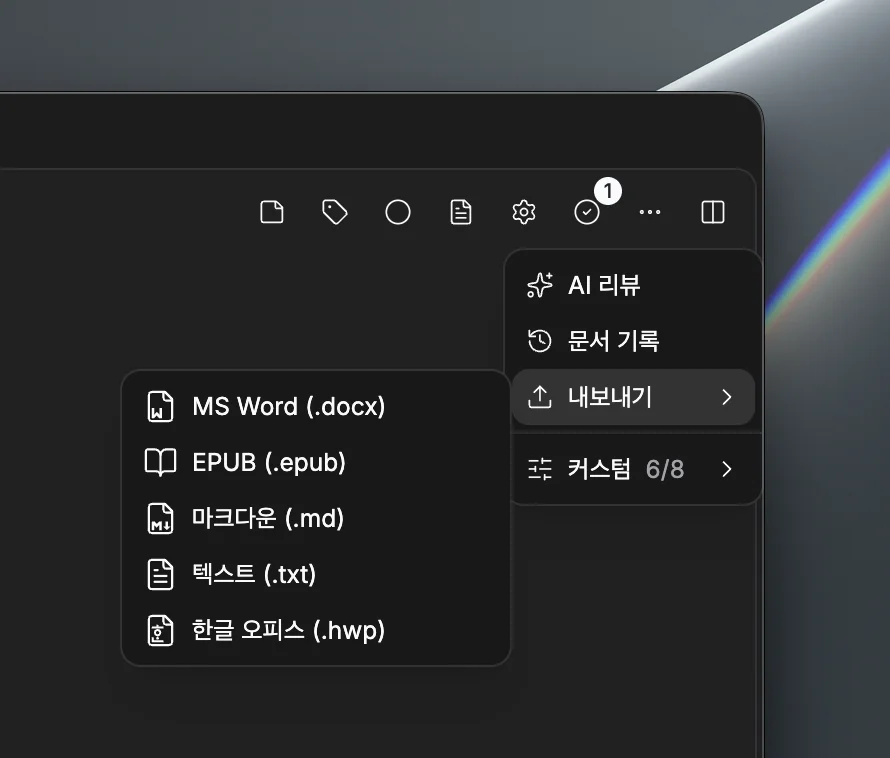
Export Feature
5. File Structure: From Document-Centric to File Type Separation
Scrivener's Structure: Every piece of data is treated as a text document. Plot outlines, character bios, and worldbuilding rules are just standard files crammed into the same binder. As the manuscript grows, the administrative cost of organizing these documents skyrockets.
pensiv's Structure: pensiv separates data by distinct file types: Docs, Plotboards, Characters, Canvas, and Folders. The underlying design philosophy is simple—don't force everything into a blank page. This architecture keeps your workspace clean even when dealing with massive fantasy settings.
Actual Difference:
In Scrivener:
Document 1: Chapter 1 content
Document 2: Chapter 2 content
Document 3: Character settings (as text in document)
Document 4: Plot organization (as text in document)
In pensiv:
Docs: Chapter 1, Chapter 2, Chapter 3...
Plotboard: Overall plot structure (visual)
Characters: Individual character files (attributes, relationships)
Canvas: Idea sketches
Folders: Structure management
6. Security: Enhanced Security Features Over Scrivener
Scrivener's Security: The software relies on local storage. If you want cloud synchronization across devices, you have to configure a separate service like Dropbox, which introduces its own friction.
pensiv's Security: Built on the premise that a server should store data, not view it, the platform takes privacy seriously.
- AES Encrypted Storage: All uploaded data is encrypted at rest.
- Google KMS: Encryption keys remain strictly separated from the main server code.
- SOC2 Certified Infrastructure: Enterprise-grade protection for your intellectual property.
- Fully Local Mode: Writers can work entirely offline without ever syncing to a server.
- Local Backups: Even offline backups are encrypted, meaning your manuscript is unreadable if the physical files are stolen.
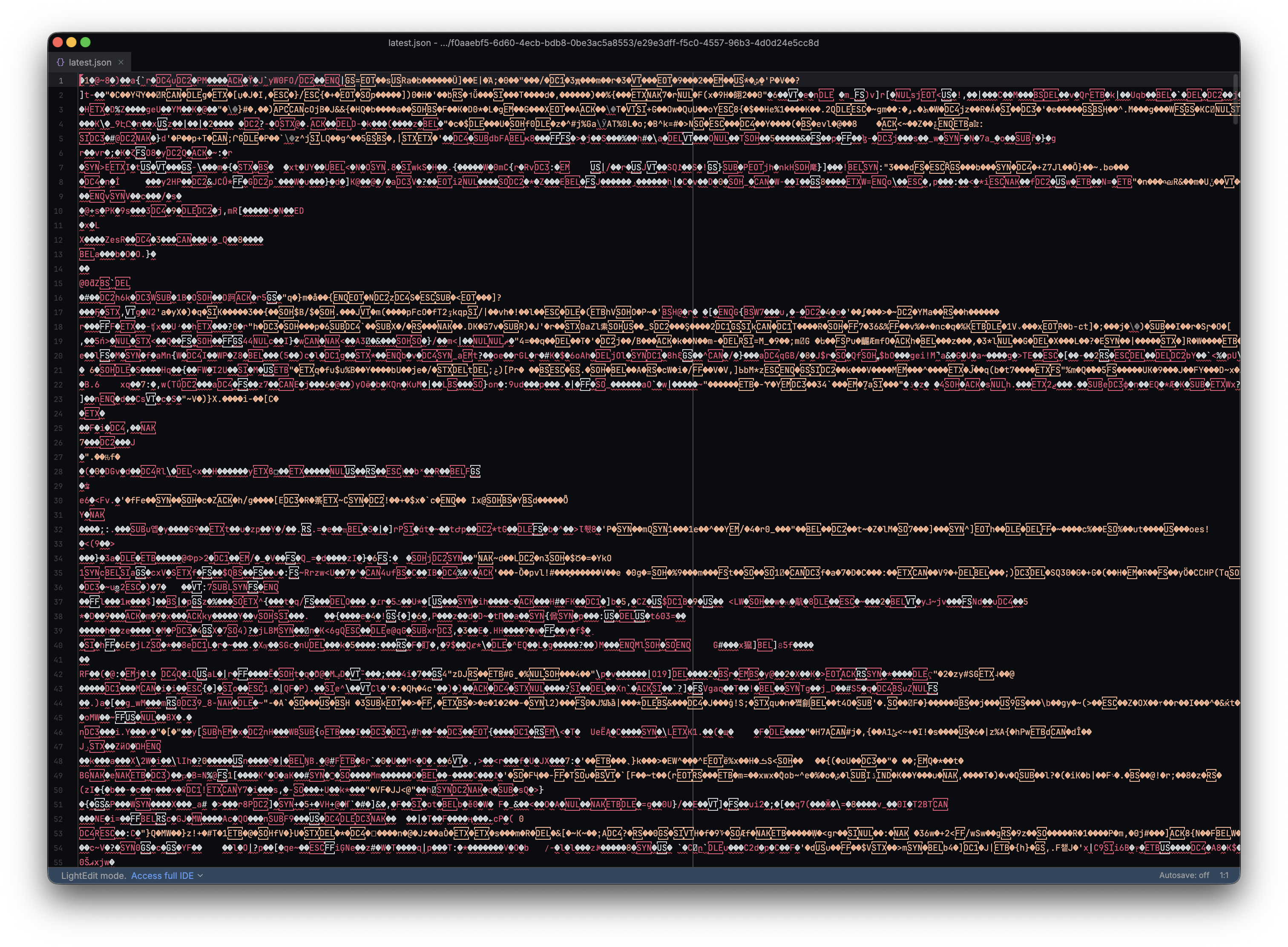
AES Encryption
7. Pricing: Free Base Tool vs One-Time Purchase
Scrivener:
- macOS and Windows versions cost approximately $60 each for a lifetime license.
- The iOS app requires an entirely separate purchase.
- Student discounts are available.
pensiv:
- Base Tool Free: The core writing software is completely free to use indefinitely.
- AI Features Only Paid: You only pay for the optional AI tools that require active API processing.
- If you prefer to write without artificial intelligence, you never have to pull out a credit card.
Scrivener vs pensiv: Detailed Comparison Table
| Feature | Scrivener | pensiv |
|---|---|---|
| AI Writing Assistant | No | Yes (Ask, Plan, Agent, Review) |
| Ease of Use | Complex (learning required) | Intuitive (simpler than Scrivener but scalable) |
| Spell Check | Limited | Advanced spell checking |
| Document Management | Corkboard, Outliner | Folder Structure (similar to corkboard) |
| Plot Management | Managed with corkboard | Plotboard (Kanban board) |
| Canvas | No | Yes (similar to Obsidian Canvas) |
| Graph View | No | Yes (visualize all file relationships) |
| Character Management | Managed with documents | Dedicated character file type |
| Security | Local focused | AES encryption, Google KMS, local mode |
| Snapshot/History | Yes | Yes (10-minute interval history) |
| Web-Based | No (installation required) | Yes |
| Pricing | ~$60 (lifetime) | Base tool free / AI features optional paid |
6 Cases When You Should Choose pensiv
1. Writers Who Need AI Writing Assistance
Scrivener is an excellent organizational tool, but it offers zero intelligent writing support. If you struggle with maintaining continuity or tracking complex worldbuilding details, pensiv's AI Ask and Plan features act as a reliable co-pilot.
2. Writers Who Want to Start Quickly
Legacy software forces you to learn its specific workflow before you can comfortably write. pensiv utilizes an intuitive interface that gets out of your way immediately. It delivers the organizational power of older programs without the frustrating setup phase.
3. Writers Who Want Tools Optimized for Their Language
Non-English authors often find themselves fighting against limited dictionary support in traditional apps. pensiv was built for a global user base, featuring advanced spell checking and contextual AI that actually understands multiple languages.
4. Writers Who Need File Type Separation
Treating every character sheet and timeline as a standard text document creates a messy binder. pensiv separates your materials into distinct categories from day one. Docs, Plotboards, and Characters each have their own dedicated formats, keeping your workspace pristine as the narrative expands.
5. Writers Who Value Security
Protecting unpublished work is a priority. pensiv secures your manuscript with AES encrypted storage and key management via Google KMS. For absolute privacy, you can run the software in a fully local, offline mode.
6. Writers Who Want to Use the Base Tool for Free
Budget constraints shouldn't prevent you from accessing professional software. pensiv's core word processor and organizational tools are completely free. You only pay if you choose to activate the optional AI functionality.
Cases When You Should Continue Using Scrivener
1. When Large-Scale Project Management is Important
The traditional corkboard and outliner are deeply entrenched in many authors' workflows. If you rely heavily on Scrivener's specific method of storing hundreds of offline PDFs and web pages directly in the project binder, it remains a highly effective choice.
2. When You're Already Familiar with Scrivener
If you have already spent the hours required to master the software and your current process works perfectly, there is little reason to disrupt your momentum. Though if you are curious about AI assistance, running pensiv in parallel for outlining is a viable strategy.
3. When You Prefer One-Time Purchase
Scrivener operates on a traditional software model. You pay once and own that version forever. While pensiv's base tool is free, heavy users of the AI features will eventually need a subscription.
How to Switch from Scrivener to pensiv
pensiv is now publicly available. Moving your current manuscript over is a straightforward process.
Migration Steps:
- Visit the website: Head over to https://pensiv.so.
- Sign up and download: Create your free account.
- Copy your text: Open your existing Scrivener project and copy the manuscript.
- Create new Docs: Paste your chapters directly into pensiv's clean document editor.
- Migrate your metadata: Rebuild your corkboard using the Plotboard feature, and transfer your text-based character sheets into the dedicated Character files.
- Test the tools: Run a quick continuity check with AI Ask, or outline your next chapter using AI Plan.
Conclusion: Scrivener vs pensiv
Scrivener earned its reputation as a powerhouse for document management. It is undeniably effective for authors juggling massive, multi-book projects. But that power comes with a cost—a punishing learning curve, a lack of modern AI support, and a rigid, document-only structure.
pensiv was designed to solve those exact friction points. It takes the structural brilliance of legacy writing software and rebuilds it for the modern era. It is lighter, faster, and infinitely less confusing to navigate.
Cases When You Should Continue Using Scrivener
- When managing massive offline research libraries is your top priority.
- When you already know the software inside and out.
- When you strictly prefer a one-time software license.
Cases When You Should Choose pensiv
- When you want AI writing assistance to catch plot holes and generate outlines.
- When you want to open the app and start writing quickly without watching tutorials.
- When you need a dictionary optimized for your specific language.
- When your worldbuilding requires strict file type separation.
- When keeping your unpublished drafts secure is a priority.
- When you want a professional-grade writing tool for free.
If you are tired of fighting your software just to get words on the page, the base version of pensiv costs nothing to try.
Try pensiv
Break free from outdated complexity. With intelligent assistance and a clean, systematic approach to project management, you can focus on what actually matters: finishing the book.
Share this article
Recommended posts
Plot Structure That Holds: Outlining Long-Form Fiction Without Losing the Reader
Long novels don't fail in chapter 1 — they fail around chapter 100, when the structure stops holding. A practical guide to outlines, plausibility, and managing main and subplots in long-form fiction.
Worldbuilding for Fiction Writers: How Deep Should You Actually Go?
Over-build the world and you'll never finish chapter 1. Under-build and chapter 30 will collapse. A practical guide to the right depth of worldbuilding and how to keep setting consistent over a long series.
Character Design 101: Building Protagonists Readers Can't Forget
How working novelists design characters readers fall in love with. Protagonist appeal, supporting cast depth, and a system for keeping personalities consistent across hundreds of chapters.