
Date Calculator
Ages, spans and date arithmetic, docked in the side pane of every file type and as an optional floating widget. Built for the questions a manuscript asks: how old is she in this scene, how long between these two chapters, what day of the week was that.
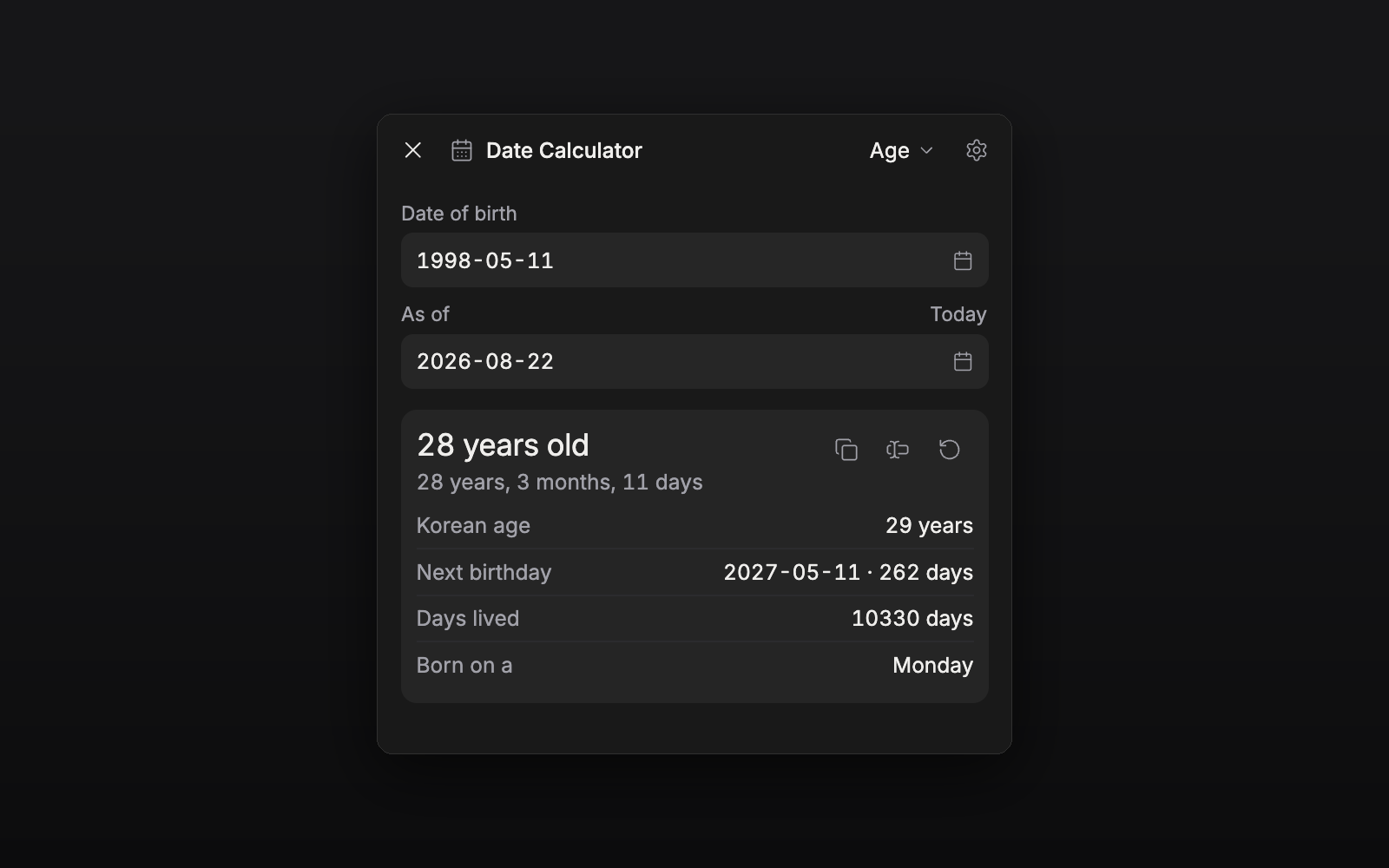
Features
- Age: completed years (만 나이) with the exact years / months / days, days lived, the weekday you were born on, and a countdown to the next birthday
- Korean counting age (세는 나이) and the year age (연 나이), each toggleable
- Between two dates: total days, the calendar breakdown, weeks + days, and the weekday of each end; optionally counting the end date
- Add / subtract days, weeks, months or years from any date, with the resulting weekday and how far it is from today
- Copy or insert the result into the open document or sheet
- Commands:
Insert today's date,Toggle floating widget - The same dates everywhere: side pane, floating widget, and the tray chip and bottom sheet on phones
Usage
Enable the plugin and a calendar toggle appears in the header of every file: document, sheet, plotboard, canvas, folder view or task. Click it and the calculator docks in that file's side pane, beside the editor: pick a mode, type the dates, and they stay on screen while you write.
Prefer it floating over the text? Settings → Date Calculator → Show floating widget, or run the toggle command. Both surfaces share one set of dates.
Date format, which ages are shown, and whether a span counts its end date all live in the same settings tab.
A birthday on 29 February counts as 1 March in common years (the convention Korean and Japanese civil practice share), so a leap-day birthday still comes around every year.